

Pakistan Help Centre: Contact Support 24/7
Need quick help? Get guidance from BC Game customer support through live chat, email tickets, and verified social channels. Phone assistance is not available, so there is no helpline number or free number at this time.
Support runs 24/7 in English. Urdu help is offered when available. Average first reply: chat under 2 minutes, tickets 2 to 12 hours, social messages in a few hours.

Live Chat in Pakistan: Instant replies 24/7
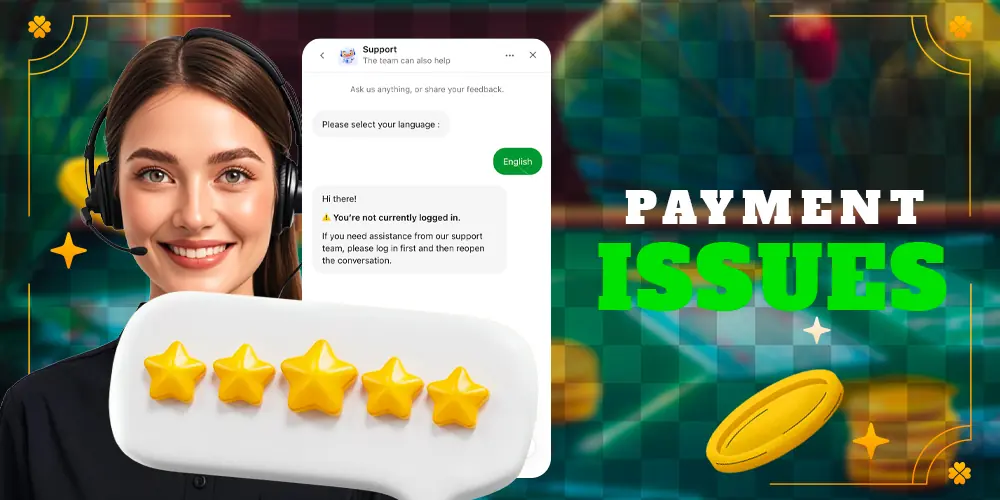
Live chat is the fastest way to reach BC Game live support. Use it for urgent questions and account checks.
- How to access
- On website: tap the Help or Chat icon at the bottom-right.
- In app: Profile menu – Support – Start chat.
- You can start as a guest for general questions. For account-specific help, log in and confirm account ownership.
- Best use cases
- Login or 2FA problems, password resets.
- Deposit pending or failed, crypto transfer not credited, withdrawal status.
- Bonus terms, wagering progress, promotion eligibility.
- Game not loading, crash, lag, or disconnection.
- Hours and languages
- 24/7 chat coverage.
- English at all times. Urdu support is subject to agent availability.
- Expected response times
- First reply usually 30 seconds to 2 minutes.
- Complex reviews can take 15 to 30 minutes while the agent checks your account or a provider.
- Tips for faster answers
- Share username, registered email, and country (Pakistan).
- For payments, include coin, network, amount, and transaction hash.
- Attach screenshots of errors or receipts.
- Keep one chat per issue to avoid queue delays.
- Peak hours in PKT evenings may be busier. Stay in the chat window to receive prompts promptly.
Email tickets for detailed cases
Email support is best for issues that need documents or a full review. Use it when chat is not ideal or when you need a written record with attachments.
- How to send
- Go to Help Centre – Submit a ticket inside your account.
- Fill in subject, category, and a clear description of the issue.
- Add screenshots or PDFs of KYC documents, payment receipts, and error messages.
- Best use cases
- KYC verification, name or address checks, source of funds.
- Payment disputes, chargeback notices, formal complaints.
- Self-exclusion or account closure requests.
- Contact details
- Send via the in-account contact form. A support email thread will start from an official bc.game address.
- Keep the ticket number for reference in chat or on social channels.
- Expected response times
- Auto-acknowledgement in minutes.
- First human reply in 2 to 12 hours. Complex cases may take up to 24 to 48 hours.
- Tips for faster replies
- Use a short, precise subject like: Deposit not credited BSC, 0.1 BNB, 10:30 PKT.
- Include username, device, app or browser version, and PKT timestamps.
- One issue per ticket. Avoid duplicate submissions.
- If you must follow up, reply to the same thread so the support team sees the full history.

Phone support and helpline status

Phone assistance is not provided at this time. There is no BC Game helpline number 24/7 and no free number or support number.
- What to do instead
- Use live chat for urgent matters like login lockouts, withdrawals, or game issues.
- Ask in chat for escalation to a senior agent if needed.
- What to expect
- Chat usually resolves urgent cases in 5 to 15 minutes.
- For reviews that need payments or provider checks, timelines can vary.
- Safety guidance
- Do not trust incoming calls claiming to be support.
- Never share passwords, OTPs, seed phrases, or full card numbers over the phone.
- Official help is provided in chat or by support email threads only.
Technical support for games, app, and payments

Technical support helps diagnose errors, performance issues, and payment crediting problems. Use it when you face a malfunction or a stuck transaction.
- How to access
- Start live chat and choose the Technical option when prompted.
- Or submit a ticket with category Technical and add logs or screenshots.
- Issues handled
- Login failures, 2FA reset guidance, account lockouts.
- Deposit sent but not credited, transaction pending on chain, network mismatches.
- Game crash, freeze, or lag. App install or update problems. Website not loading.
- Contact paths
- Technical queue in chat for fast triage.
- Ticket for cases needing deeper investigation or attachments.
- Expected timelines
- Initial triage in 30 to 90 minutes.
- Resolution can take 1 to 6 hours if third-party providers are involved.
- Speed up your case
- Share device and OS version, app version or browser name and version.
- Add exact PKT timestamps, IP region, and whether a VPN was used.
- For payments, include coin, network, amount, destination tag or memo if used, and transaction hash.
- Attach screenshots or short screen recordings showing the error.
- Try quick fixes before contacting: refresh, relog, clear cache, switch Wi-Fi to mobile data or vice versa, update the app, and confirm blockchain confirmations.
VIP and priority support for high-tier players
Priority help is available for eligible high-tier players. This includes faster queues and direct contact from a dedicated host.
- Access
- If eligible, a VIP tab shows your host contact inside the account.
- Use VIP chat or ticket tagging for priority handling.
- Who qualifies and what gets priority
- Qualification depends on level and recent activity. Check the VIP area in your profile.
- High-value withdrawals, account reviews, limit changes, and event arrangements get priority.
- Expected response times
- VIP chat targets a first reply in about 1 minute.
- Email follow-ups are expedited when tagged as VIP.
- Tips to get the most value
- Keep notifications on for host messages.
- Plan large withdrawals ahead and share timelines with your host.
- Store host contact only inside the website or app. Avoid third-party contacts that are not verified.
Social and messaging support in Pakistan
Social and messaging channels can help with general queries and status checks. For account-specific questions, use chat or tickets first for privacy.